How to Turn Text into Video with AI: The Ultimate Guide (2026)
Not long ago, creating a video meant cameras, actors, lighting rigs, locations, and a whole lot of patience. Fast-forward to 2026, and the rules have flipped upside down. Today, text to video AI lets you type a few sentences and generate a movie-quality clip in minutes.
No camera? No problem. No actors? Still no problem.
With modern AI video generators from text, creators, marketers, and storytellers can finally focus on ideas—not logistics. If you can write it, you can now see it.
This guide walks you through exactly how to generate video from text, step by step, plus the prompt secrets that separate "meh" clips from jaw-dropping visuals.
What Is Text to Video AI?
Text to video AI is software that converts written descriptions into moving visuals. Think of it like ChatGPT—but instead of words, it responds with video scenes.
You describe what is happening, the characters, the style, and the lighting. The AI then generates the motion, camera angles, and atmosphere instantly.
In other words, text to movie creation is now a typing exercise. Many creators use platforms like AI Video to Video to instantly transform scripts into visuals.
AI Generation vs. Traditional Filming
Why are creators switching? The speed and cost difference is massive.
| Feature | AI Video Generation | Traditional Filming |
|---|---|---|
| Speed | Fast (Minutes) | Slow (Days/Weeks) |
| Cost | Cheap / Free | Expensive Gear & Crew |
| Locations | Unlimited (Space, Fantasy) | Limited by Geography |
| Actors | No Casting Needed | Hiring Required |
| Scalability | Instant | Hard to Scale |
That’s why marketers and YouTubers are shifting to AI video creator free tools for rapid content production.
Step-by-Step: How to Generate Video from Text
Let’s break this down into a simple workflow using our tool.
Step 1: Open the Tool
Start by visiting our text to video generator. This is where your script becomes visuals. Choose a tool that supports realistic motion and fast rendering.
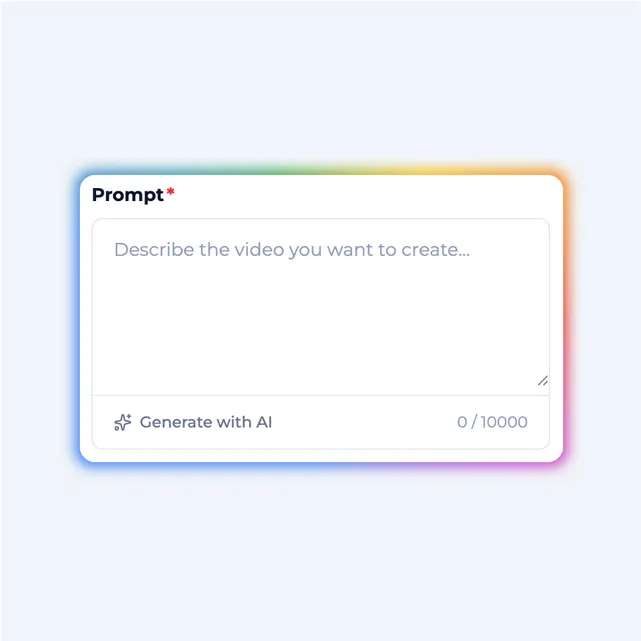
Step 2: Write Your Prompt (Crucial)
Your prompt is the director. The clearer your text, the better the video. Don't just write a word; describe the scene. We will cover specific formulas in the next section.
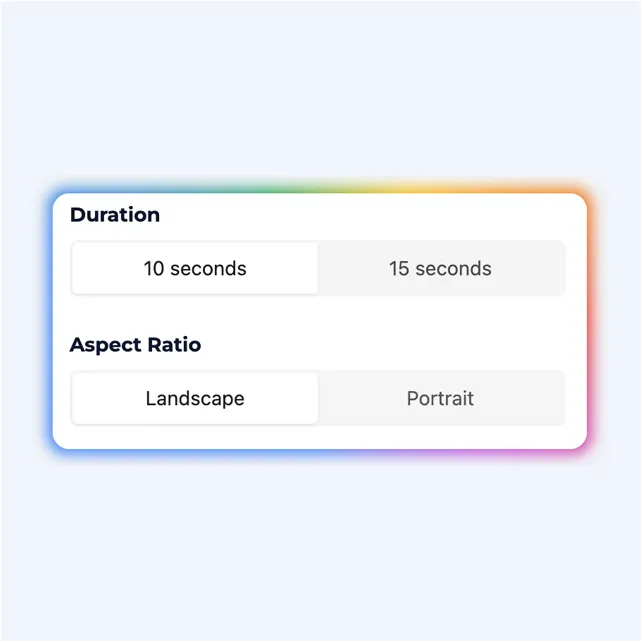
Step 3: Choose Style & Generate
Most text to video AI platforms offer specific styles like Realistic, Anime, 3D Animation, or Cinematic. Match the style to your goal—ads need clarity, stories need mood.
Click generate, and within moments, your video is ready to download.
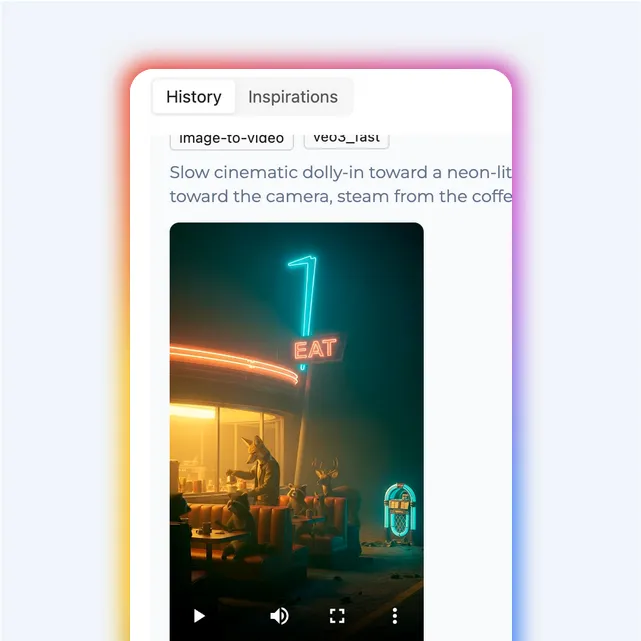
The Secret Formula for Perfect Prompts
Here is the formula professionals use to get cinematic results:
Subject + Action + Environment + Style + Lighting
Example 1: A Character
- Basic Prompt: "A man walking."
- Pro Prompt: "A confident man in a black suit walking through a neon-lit city at night, cinematic style, shallow depth of field, soft blue lighting."
Example 2: Fantasy
- Basic Prompt: "A dragon."
- Pro Prompt: "A massive red dragon flying over snowy mountains, epic fantasy style, dramatic lighting, ultra-detailed, cinematic camera movement."
Example 3: Product Shot
- Basic Prompt: "A product video."
- Pro Prompt: "A sleek smartwatch rotating on a reflective surface, studio lighting, realistic style, slow cinematic camera pan."
Once you nail this structure, generate video from text becomes predictable and powerful.
Best Use Cases for Text to Video AI
- Social Media Shorts: Perfect for TikTok, Reels, and YouTube Shorts—high volume, zero filming.
- Marketing Ads: Launch ad creatives in hours, not weeks. Test unlimited variations.
- Storyboarding: Directors and writers use text to movie tools to visualize scenes before production.
- Faceless Channels: Create YouTube content without ever showing your face or buying a camera.
Frequently Asked Questions (FAQ)
Is text to video AI copyrighted?
Most platforms grant you commercial usage rights for the videos you generate, but always check the specific tool's license terms.
How long can AI-generated videos be?
It depends on the platform. Many tools allow short clips (5-10 seconds) that can be stitched together in an editor to form longer videos.
Is there an AI video creator free option?
Yes. Several tools, including ours, offer free tiers or trials that allow you to create video from text free to test the quality.
Can I use text to video for ads?
Absolutely. Many marketers rely on AI video generator from text tools to create high-converting video ads for Facebook and Instagram.
Final Thoughts: The Future Is Typed
Video creation has officially entered a new era. Cameras are optional. Studios are optional. What matters now is imagination and clarity.
If you can describe it, you can generate it.
Ready to try it yourself? Start creating now with our powerful Text to Video Tool and see how fast ideas turn into visuals.